

In the tutorial that we will follow we will learn how to create a detailed illustration of a button with a needle in Adobe Illustrator. This exercise uses many vector techniques including the Appearance panel, transparency settings, templates and more. A very detailed and easy to follow lesson for users who already have a good knowledge of the program.
Related Posts
06
Oct2014

Create a Rocking Silhouette in Photoshop – Tutorial
Il tutorial che andremo a vedere mostra come creare una silhouette di una persona presa da una foto normale, aggiungendo una luce colorata ad essa come se la fonte luminosa…
09
Aug2015
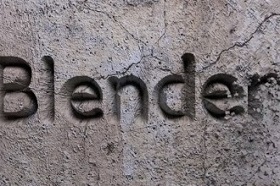
Stone Carving Animation in Blender
This video tutorial shows you how to create a self-sculpting text animation into a stone wall in Blender. An effect that we will have using Dynamic Paint. A very captivating…
07
Dec2014

Create a Soccer App Interface in Adobe Illustrator
Nel tutorial che seguiremo impareremo a creare un’interfaccia per una app sul calcio utilizzando il pannello Aspetto in Adobe Illustrator. Potrai creare tutto dal campo ai giocatori fino al sistema…
08
Mar2014

Create Supernatural Text Effect in Photoshop
Nel tutorial che andremo a seguire è descritto il processo per creare un effetto di nebbia notturna su di un testo per dare un sorta di soprannaturale inquietante sensazione. Un…
29
Dec2012
Dark Knight Rises Poster In Photoshop Tutorial
In the tutorial we will visit, we show how to create the Dark Knight Rises poster in Adobe Photoshop. Be prepared, it could take a couple of hours, but the…
16
Mar2015

Create Plastic Text Effect in Adobe Photoshop
L’utilizzo di più stili di livello in Photoshop è in grado di contribuire a realizzare un effetto più dettagliata e-3D di un testo. Il tutorial che andremo a vedere vi…
